 |
AccuFACE CMS |
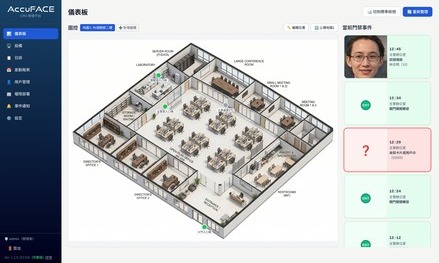
AccuFACE CMS is a browser-based Central Management Software (CMS) designed for AccuFACE EFR-T5/ETC-T5 series devices. Installed on a single Windows PC, it centrally manages multiple facial recognition access control devices, and other computers on the same network can operate it directly through a web browser. Its features include:
- Map-view dashboard for real-time monitoring of device status and access events on floor plans
- Centralized management of devices, users and event logs, with export to Excel or CSV
- Deploy access rights by department, device set and schedule, with one click or on a daily schedule
- Automatic daily and monthly attendance reports, including overnight shifts
- Real-time email notifications to administrators based on custom rules
Contact our sales team for the download link of the Starter Edition, which can be used free of charge at small and medium-sized sites.